The best WhatsApp for Bitrix24: 10 things to check before you choose
Open Channels, a WhatsApp tab on every CRM record, automation steps, a bot, campaigns to CRM segments and lead tracking: the ten questions to ask of any WhatsApp setup for Bitrix24, and how ChatBridge24 answers each one.
On this page
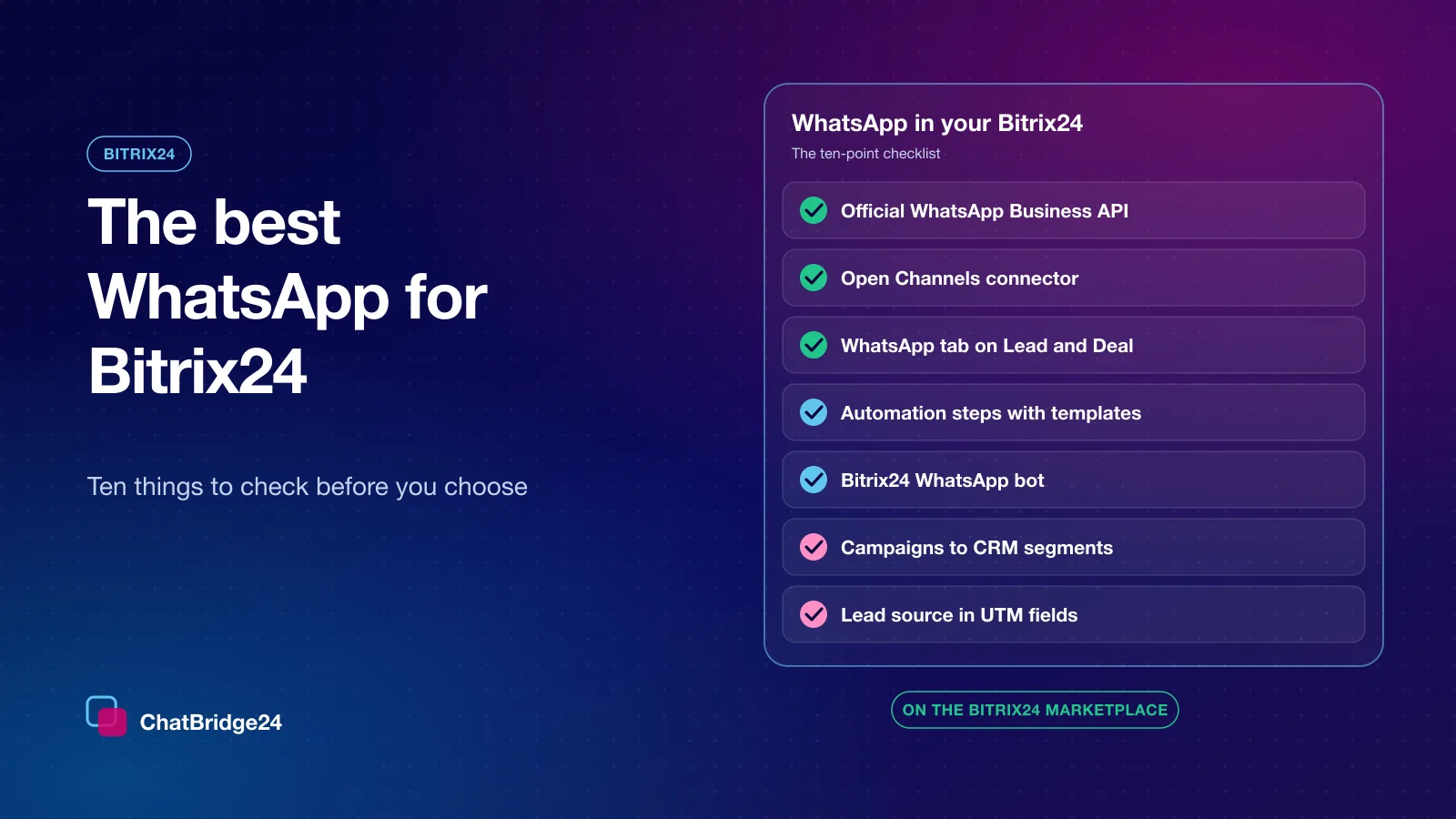
- 1. Is it built on the official WhatsApp Business API?
- 2. Do conversations arrive in Open Channels?
- 3. Is the conversation on the CRM record?
- 4. Does a first message create the right record, once?
- 5. Does it tell you where the lead came from?
- 6. Can your automation rules send WhatsApp?
- 7. Is there a bot that can answer at 2 a.m.?
- 8. Can marketing reach a CRM segment?
- 9. Can you keep the WhatsApp Business app on your phone?
- 10. Is the price easy to understand?
- The checklist on one page
- Setting it up with a Bitrix24 partner
- Installing it in three steps
Your customers already write to you on WhatsApp. Your sales and support teams already work in Bitrix24. The best WhatsApp for Bitrix24 is the one that joins those two worlds so completely that nobody has to think about it: a message arrives, the right person answers it from Bitrix24, the conversation sits on the right CRM record, and the lead’s source is already filled in.
That is a high bar, and it is easy to check against before you commit. This guide is the checklist we would use ourselves — ten questions to ask of any WhatsApp setup for Bitrix24 — and, for each one, how ChatBridge24 answers it. ChatBridge24 is a full-featured app on the Bitrix24 Marketplace, so everything below happens inside your own portal.
1. Is it built on the official WhatsApp Business API?
Start with the foundation. The WhatsApp Business API is Meta’s own platform for businesses: approved message templates, a quality rating for your number, clear per-message pricing and room for a whole team on one number.
What to check:
- You connect through Meta’s own sign-up. You sign in to Meta, pick your business and your phone number, and that is it. There should be no tokens to copy and paste.
- The number stays in your own business portfolio. The WhatsApp Business Account belongs to you, not to the software you connect it to.
- Templates are first-class. Writing, submitting and sending approved templates should happen in the same place as everything else.
ChatBridge24 connects numbers through Meta’s own sign-up flow, and templates are built, submitted and sent from inside the app.
2. Do conversations arrive in Open Channels?
Open Channels is where Bitrix24 teams already handle chats: queues, routing rules, operators and response statistics. The best WhatsApp setup for Bitrix24 does not invent a second inbox next to it — it plugs into it.
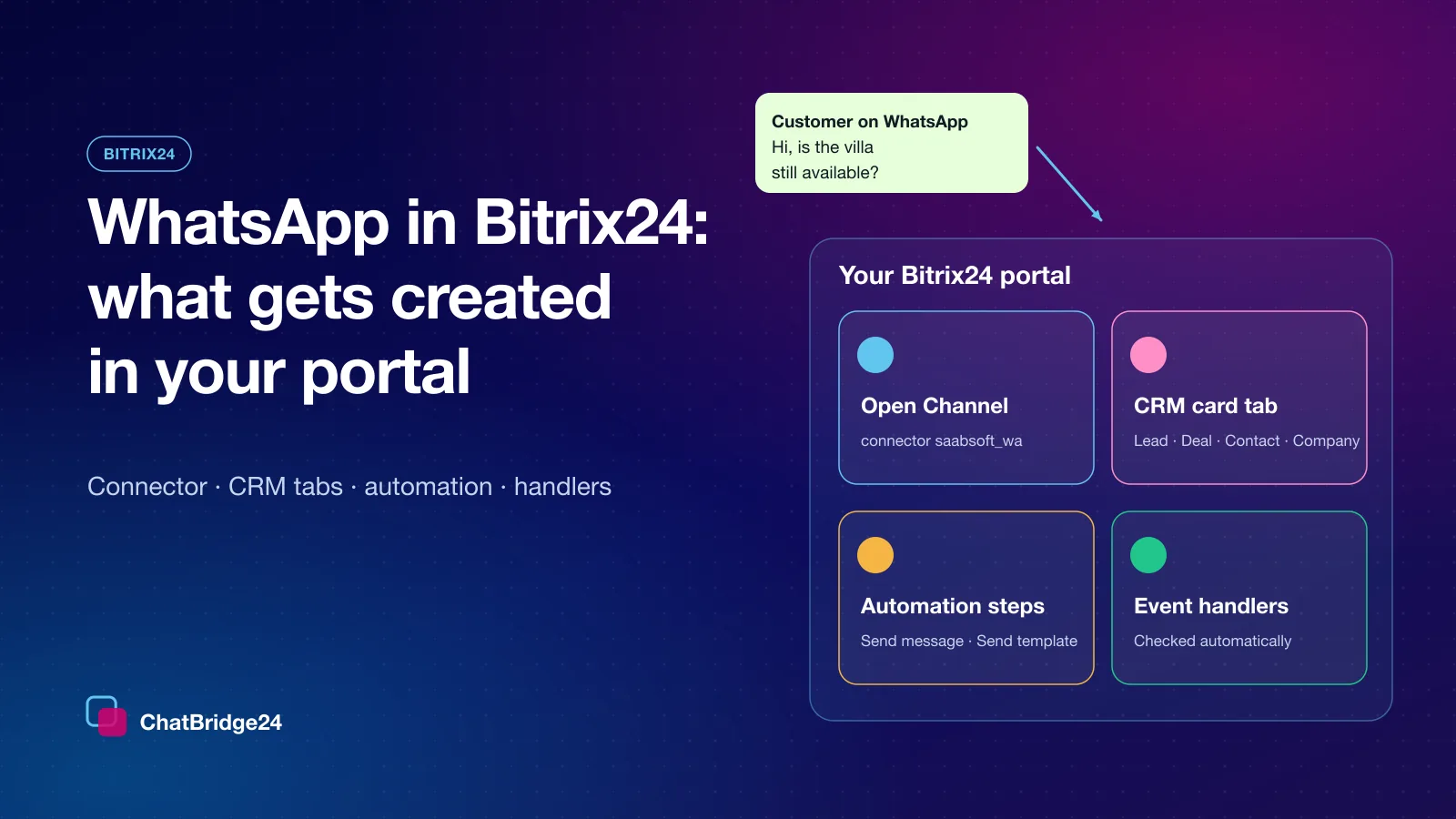
With the Bitrix24 WhatsApp integration, the app registers itself as an Open Channels connector. A WhatsApp number binds to an Open Channel and behaves like any other channel:
- the queue routes each new chat to an operator;
- the operator replies from the Bitrix24 messenger, and the reply reaches the customer on WhatsApp;
- delivery and read ticks come back into Bitrix24.
Two details worth asking about. Several numbers should be able to go to different Open Channels, so a sales number and a support number land in different queues — they can. And Open Channels should be optional: some teams prefer to work from a WhatsApp inbox and automation alone, and binding an Open Channel later still delivers the messages that were waiting for it.
3. Is the conversation on the CRM record?
A sales manager opening a deal should not have to go looking for the chat. ChatBridge24 adds a WhatsApp tab to the Lead, Deal, Contact and Company cards. An agent reads the whole thread and replies without leaving the record they are working on.
Ask, too, what happens when an app is updated or reinstalled. A tab that appears twice on every card is a small thing that annoys every user every day. Before adding a tab, the app reads what is already registered in your portal and replaces an existing tab rather than adding a second one.
4. Does a first message create the right record, once?
When somebody new writes in, you want exactly one record for them, of the kind your team works with, and you want it immediately.
ChatBridge24 can create the record from the first inbound message — a Lead, a Contact or a Smart Process item, your choice. A Lead or a Contact carries the messenger identifier and, where WhatsApp shows it, the phone number. That pair is what lets Open Channels find the record that already exists instead of creating a second one, so a new customer does not become two leads.
5. Does it tell you where the lead came from?
This is the question that decides whether WhatsApp shows up in your marketing reports at all.
- Landing pages. A “Chat on WhatsApp” button usually opens WhatsApp with a pre-written message that names the offer or the project. ChatBridge24 writes that first message, and the form answers in it, into the record’s Comment field, where your team looks first.
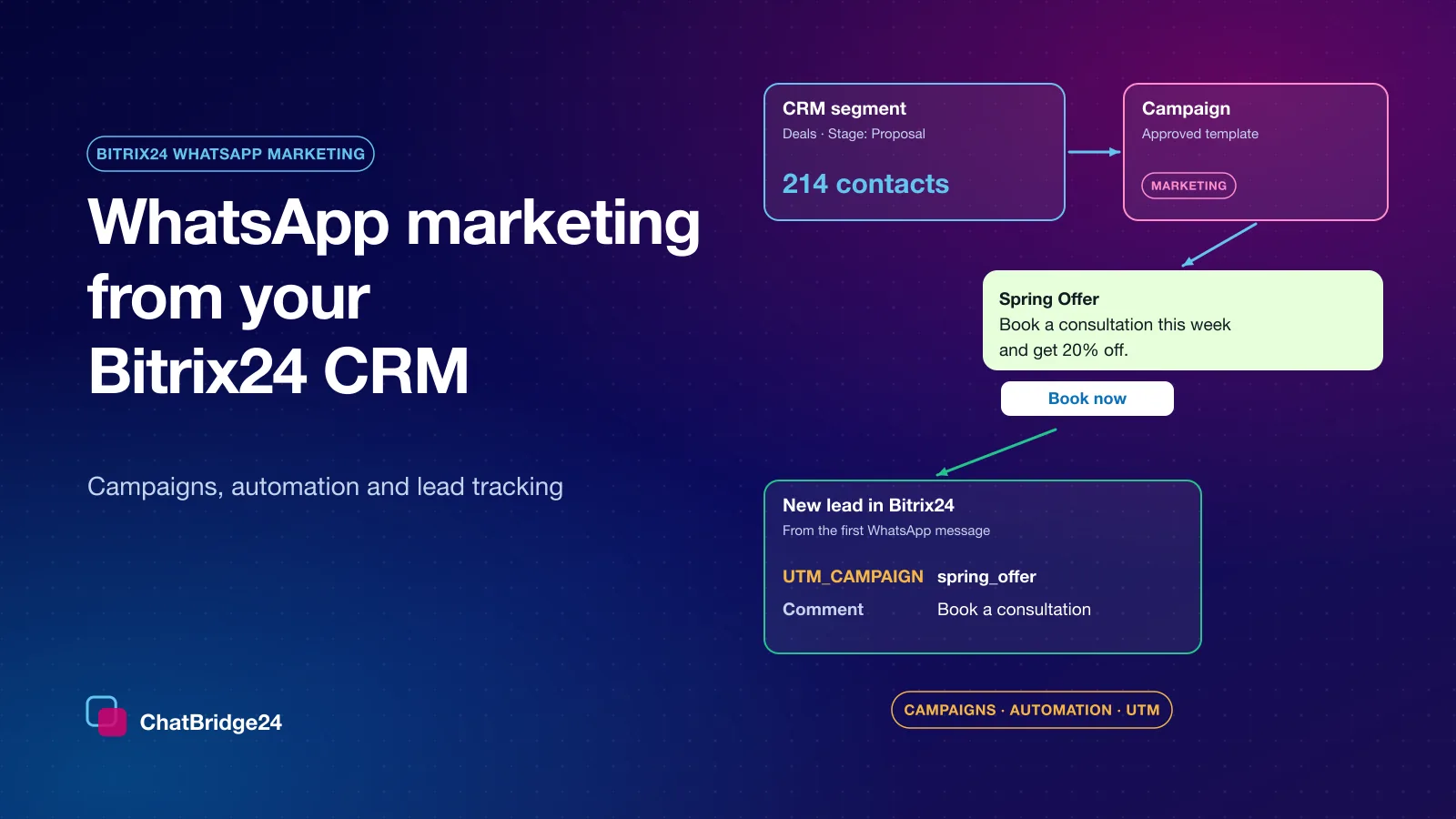
- UTM values. When the message carries utm values, they go into Bitrix24’s own UTM fields — the fields your Bitrix24 reports already group by.
- Click-to-WhatsApp ads. The details Meta sends with an ad click can be mapped to the CRM fields you choose.
6. Can your automation rules send WhatsApp?
Bitrix24’s automation rules are where repeatable work lives: a stage changes, something should happen. The best WhatsApp for Bitrix24 gives those rules a WhatsApp action.
ChatBridge24 adds an automation step that sends approved WhatsApp message templates from a WhatsApp Business API number, on leads, deals, contacts, companies and Smart Processes. The template’s values are filled from the record’s own fields, so a reminder can say the customer’s name, the date and the branch.
Two safety properties matter more than they first appear:
- It sends only where you point it. The “Send to” field is any phone field on the record, including the responsible person’s mobile for an internal notice. If it is empty, nothing is sent — there is no fallback that guesses a number.
- It never hangs your rule. If a message cannot be sent, the step is released with the reason, and the reason is written to the record’s timeline.
7. Is there a bot that can answer at 2 a.m.?
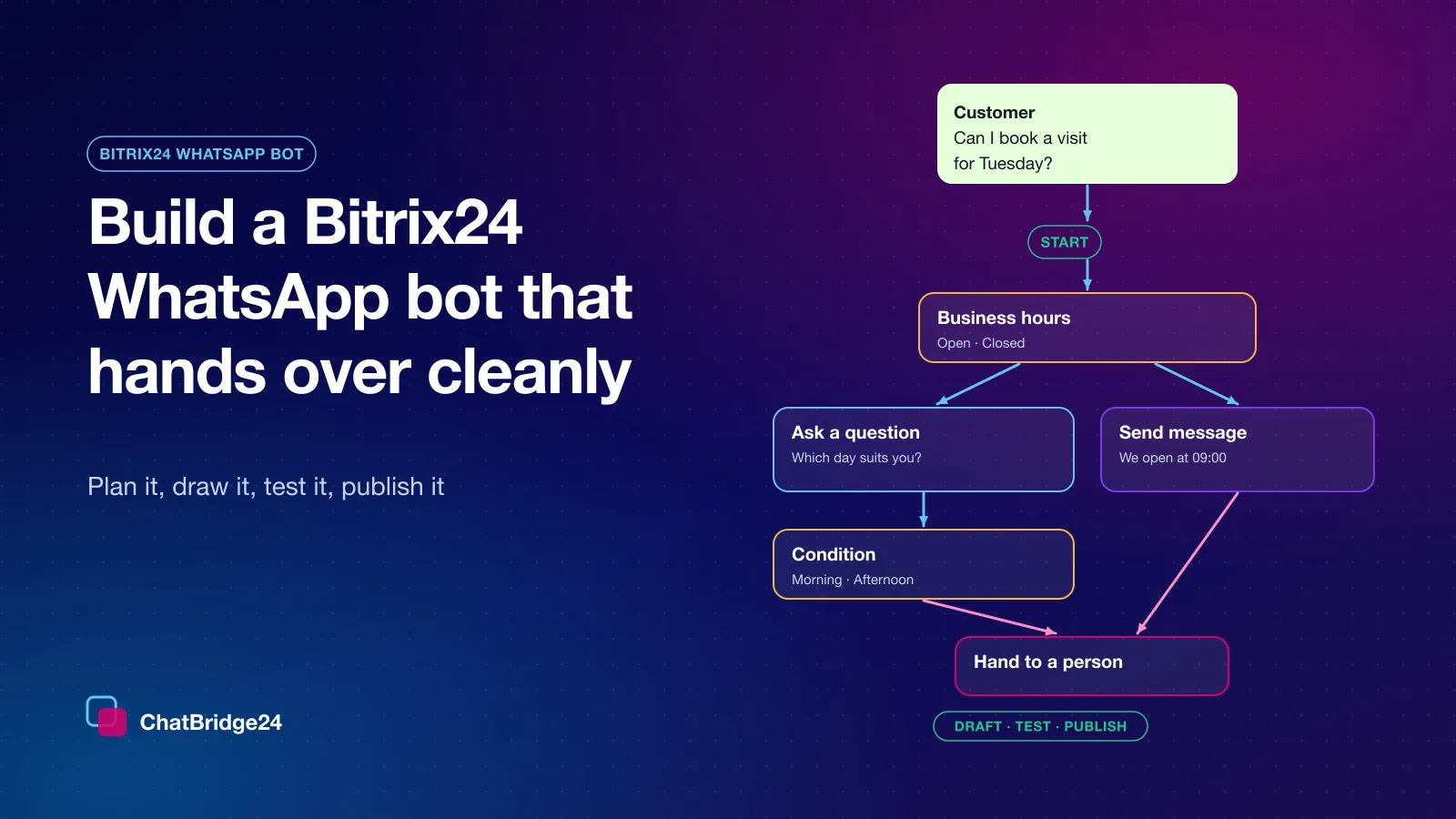
Many WhatsApp conversations start outside working hours, and many start with the same three questions. A Bitrix24 WhatsApp bot answers them the way you drew it: greet, offer choices, ask for the details you need, check the answers and hand the customer to your team.
In ChatBridge24 the scenario builder is on the Bot tab of each WhatsApp Business API number, inside the Bitrix24 app. You draft, test in a Test chat and publish only when the checks pass. A scenario does not start on a conversation your team has answered in the last 24 hours, so the bot never talks over an operator. We wrote a full walkthrough in how to build a Bitrix24 WhatsApp bot.
8. Can marketing reach a CRM segment?
Sooner or later somebody will ask to send an offer to every open deal in a pipeline, or to every lead from last month’s exhibition. That should not require exporting a spreadsheet.
ChatBridge24’s WhatsApp marketing campaigns send an approved template to an audience you build — and in the Bitrix24 app, that audience can come straight from your Bitrix24 CRM records: leads, contacts, companies, deals or Smart Process items, filtered by stage, source, pipeline, responsible person or date. The campaign keeps to the pace, the sending hours and the frequency cap you set, and skips anyone on the do-not-contact list. The whole approach is in our guide to Bitrix24 WhatsApp marketing.
9. Can you keep the WhatsApp Business app on your phone?
If your number already lives in the WhatsApp Business app, you may not want to give that up. With WhatsApp coexistence you do not have to: the number stays on the app and is connected to the platform as well. A reply typed on the phone appears in the team’s view, and a reply sent by the team appears on the phone.
10. Is the price easy to understand?
Look for three things: what you pay per number, whether every colleague costs extra, and whether anyone adds a margin to Meta’s message charges.
ChatBridge24 is priced per connected number per month, with your whole team included and no seat charge, and the Bitrix24 app is part of every plan. Meta’s per-message charges are billed to you by Meta at its own rates; nothing is added to them. The current plans are on ChatBridge24 pricing, and what Meta charges per message is explained on WhatsApp Business API pricing.
The checklist on one page
| Question | What a good answer looks like |
|---|---|
| Official platform | Meta’s sign-up flow, your own business portfolio, approved templates |
| Open Channels | A real connector: queues, operators, ticks, one Open Channel per number |
| CRM record | A WhatsApp tab on Lead, Deal, Contact and Company — and never two |
| First message | One record, of your chosen kind, matched by messenger id and phone |
| Lead source | First message in Comments, utm values in Bitrix24’s UTM fields |
| Automation | Approved templates from automation rules, values from the record |
| Bot | Drawn, tested and published inside Bitrix24, with a hand-off |
| Campaigns | Audiences from CRM segments, pace and hours you control |
| Business app | Coexistence, so the phone keeps working |
| Price | Per number, team included, Meta’s charges passed through unchanged |
Setting it up with a Bitrix24 partner
ChatBridge24 is built by Saabsoft, an official Bitrix24 partner specialising in CRM implementation, customisation and digital transformation. If you are looking for Bitrix24 Dubai expertise, Saabsoft can connect WhatsApp as part of setting up your pipelines, Open Channels and automation rules, so the integration and the CRM around it are configured in one project.
The same applies across the Emirates: for Bitrix24 UAE customers, the team that builds ChatBridge24 is the team that can configure it inside your portal.
Installing it in three steps
- Install the app from the Bitrix24 Marketplace into the portal you want it in. It registers its connector, its CRM tabs, its automation step and its event handlers by itself, and checks them again after every update.
- Connect a number through Meta’s own sign-up: sign in, choose your business and the number.
- Bind it to an Open Channel, so your existing queues and routing rules apply from the first message.
It works the same on a cloud portal and on a self-hosted Bitrix24. If you would like to see it on a working number first, book a live demo.
Common questions
What is the best way to connect WhatsApp to Bitrix24?
Through the official WhatsApp Business API, with an app that registers itself as an Open Channels connector, adds a WhatsApp tab to CRM records and gives automation rules a WhatsApp step. ChatBridge24 does all three from the Bitrix24 Marketplace.
Do WhatsApp conversations appear in Bitrix24 Open Channels?
Yes. Each connected number binds to the Open Channel you choose, operators reply from the Bitrix24 messenger, and delivery and read ticks come back into Bitrix24. Open Channels is optional.
Does ChatBridge24 work on a self-hosted Bitrix24?
Yes. The app works the same way on Bitrix24 On-Premise as on a cloud portal.
How is ChatBridge24 priced for Bitrix24?
Per connected WhatsApp number per month, with the whole team included and the Bitrix24 app in every plan. Meta bills its per-message charges directly, with nothing added.