Bitrix24 WhatsApp marketing: campaigns, automation and lead tracking
How to run WhatsApp marketing from Bitrix24: approved templates, campaign audiences built from your CRM, automation steps by deal stage, a bot for the replies and UTM lead tracking — with a first-month plan.
On this page
- Four tools, four different jobs
- Start with consent and an approved template
- Build the audience from your Bitrix24 CRM
- Send the campaign at a pace your number can carry
- Automate the one-to-one messages with Bitrix24 automation rules
- Let a bot answer the replies
- Track where every lead came from
- What it costs
- A first month, week by week
WhatsApp is the channel your customers actually read, and Bitrix24 is where you already keep everything you know about them. Bitrix24 WhatsApp marketing is what happens when the two are joined properly: you choose who receives a message from your CRM, the message follows your deals through their stages, the replies land with the right salesperson, and the leads it brings in arrive with their source already filled in.
This guide covers the four tools that make that work in the ChatBridge24 app for Bitrix24 — campaigns, automation steps, a bot and lead tracking — when to use each, and how to keep your number healthy while you do.
Four tools, four different jobs
| Tool | Sends to | Started by | Use it for |
|---|---|---|---|
| Campaign | A list you build — up to a whole CRM segment | You, once | An offer, an event, a launch, a re-engagement |
| Automation step | One record’s phone field | A Bitrix24 automation rule | Reminders, confirmations and follow-ups tied to a stage |
| Bot | The customer who just wrote | The customer’s message or button tap | Answering replies, qualifying, booking |
| Lead tracking | — | The customer’s first message | Knowing which campaign or ad brought each lead |
Most teams need all four. The campaign creates the conversation, the bot handles the replies at any hour, the automation keeps each deal moving, and the tracking tells you which of it worked.
Start with consent and an approved template
Two rules come before any list.
Message people who agreed to hear from you. Somebody who gave you their number for a delivery did not agree to receive offers. Ask clearly — at checkout, on a form, in the chat itself — and record the answer. People who are messaged without expecting it block the number, and blocks are what lower your number’s quality rating with WhatsApp.
Use an approved template. Outside a conversation the customer opened in the last 24 hours, WhatsApp only delivers a business’s messages as templates Meta has approved in advance. Each template has a category — marketing, utility or authentication — and the category decides what Meta charges for it. Writing templates that are approved first time is a skill of its own; our WhatsApp message templates page and guide cover it.
Build the audience from your Bitrix24 CRM
This is where Bitrix24 changes the game. Instead of exporting a spreadsheet, you build the campaign audience directly from your CRM records, inside the app:
- Which records: leads, contacts, companies, deals or Smart Process items.
- Which of them: by stage, source, type, pipeline, responsible person, created or modified date, whether a phone number is filled in, and your own custom fields.
- Which phone number: a lead, contact or company has its own phone field; for a deal or a Smart Process item the number is taken from the linked contact, the linked company, or the contact first and then the company.
The audience is read with the Bitrix24 permissions of the person building it, so nobody can include records they could not open in Bitrix24 themselves. And the build refuses rather than guesses: if the do-not-contact list or the block list cannot be read, nothing is built.
Other sources work too — a spreadsheet, a pasted list, the number’s own contacts, an earlier campaign or a saved audience — and the filters that matter most for re-engagement, such as when they last wrote, are described on WhatsApp audience segmentation.
Send the campaign at a pace your number can carry
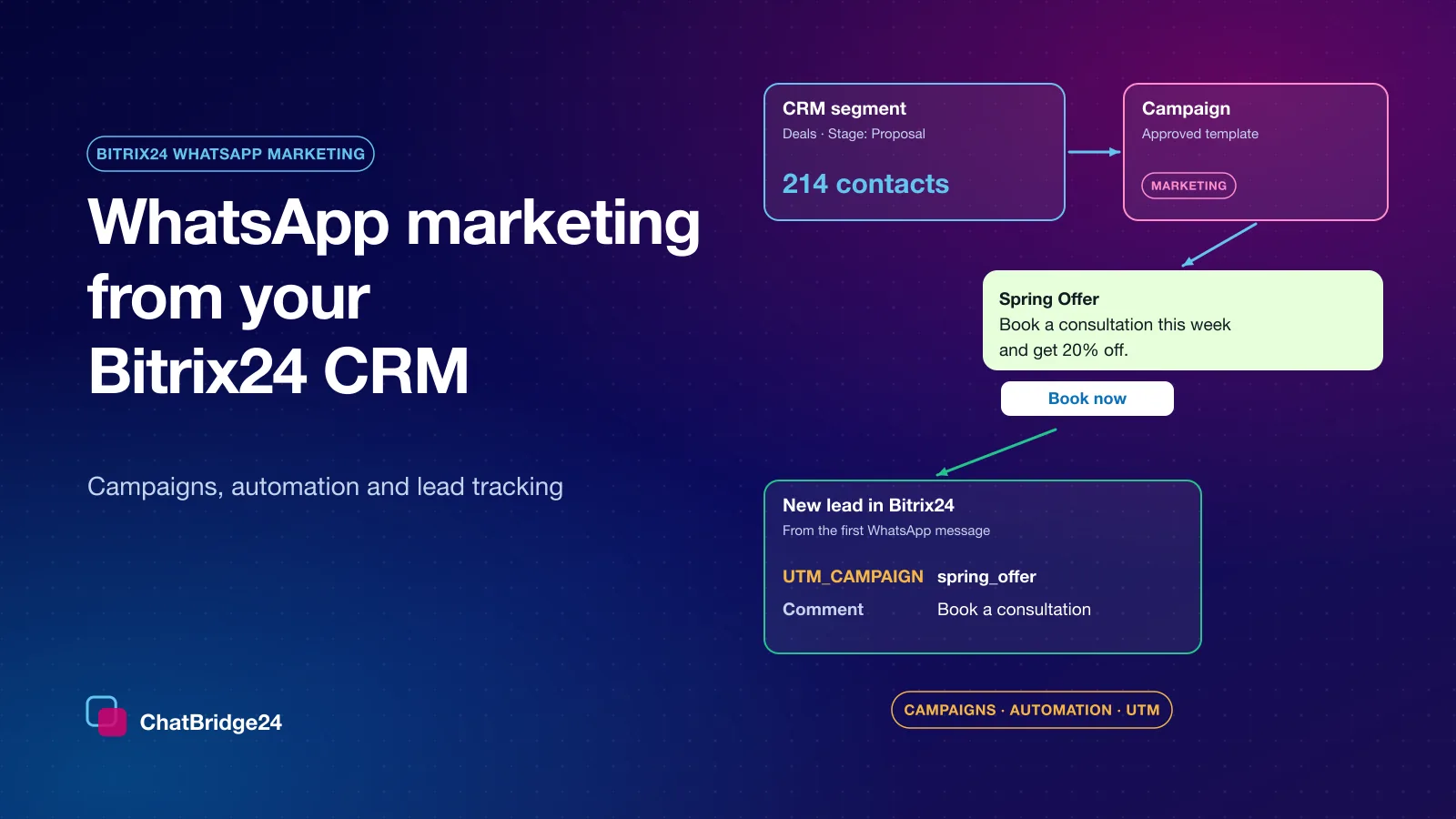
WhatsApp marketing campaigns in ChatBridge24 send one approved template to the audience you built, with the template’s blanks filled either with the same value for everybody or from each contact’s own data.
What keeps a campaign safe is control over how it goes out:
- Pace. An hourly rate for the number, shared by every campaign on it, and an optional per-minute rate for each campaign. A campaign never sends faster than either.
- Sending hours and days. Messages go out only in the hours you choose — not at midnight in your customer’s time zone.
- A frequency cap. Anybody who already received a campaign from the same number in the last days you set is skipped.
- Opt-outs honoured mid-send. Somebody who opts out, or whom your team blocks, while a campaign is running leaves the queue before their turn.
Each recipient is reserved once, before anything is sent, so an interrupted or retried batch never sends anybody a second copy. And every recipient carries its own outcome and reason, so you can see exactly who received the message and why the others did not. Campaigns are part of the Enterprise plan.
Automate the one-to-one messages with Bitrix24 automation rules
Campaigns are for many people at once. Most revenue, though, comes from the right message to one person at the right stage — and that is what Bitrix24’s automation rules are for.
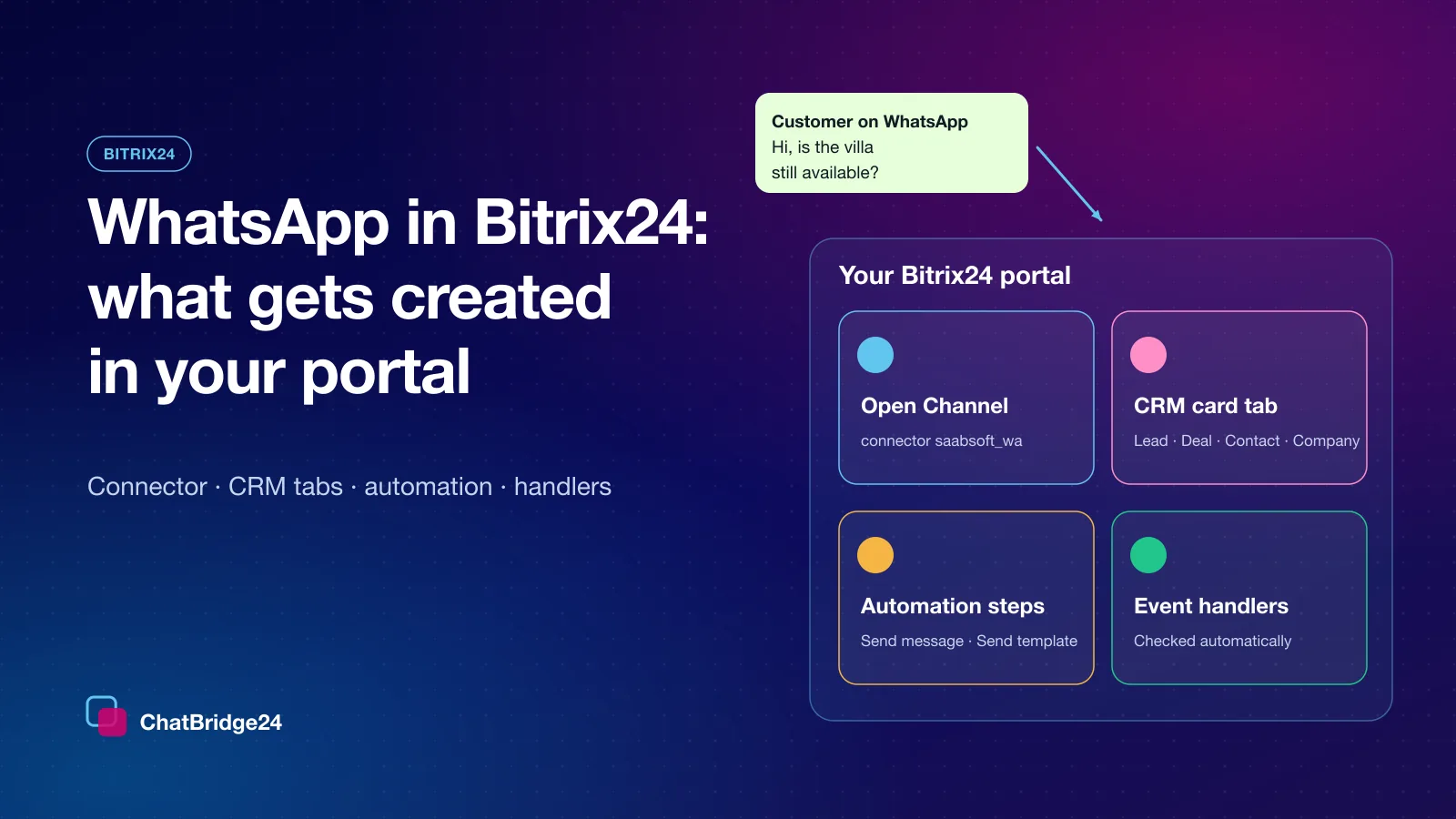
The ChatBridge24 app adds an automation step that sends an approved template from a WhatsApp Business API number, on leads, deals, contacts, companies and Smart Processes. Some examples that work well:
- Deal moves to “Proposal sent” — a utility template: “Hi Maria, your proposal is in your inbox. Reply here with any question.”
- Appointment booked — a reminder the day before, with the date and the branch filled from the record’s fields.
- Deal won — a thank-you with a link to leave a review.
- Lead untouched for three days — an internal notice to the responsible person’s own mobile, by pointing the step’s “Send to” at their phone field.
The step only ever sends to the phone field you point it at — if that field is empty, nothing is sent. If a message cannot be delivered, the step is released with the reason, and the reason is written on the record’s timeline, so the rule never hangs.
Let a bot answer the replies
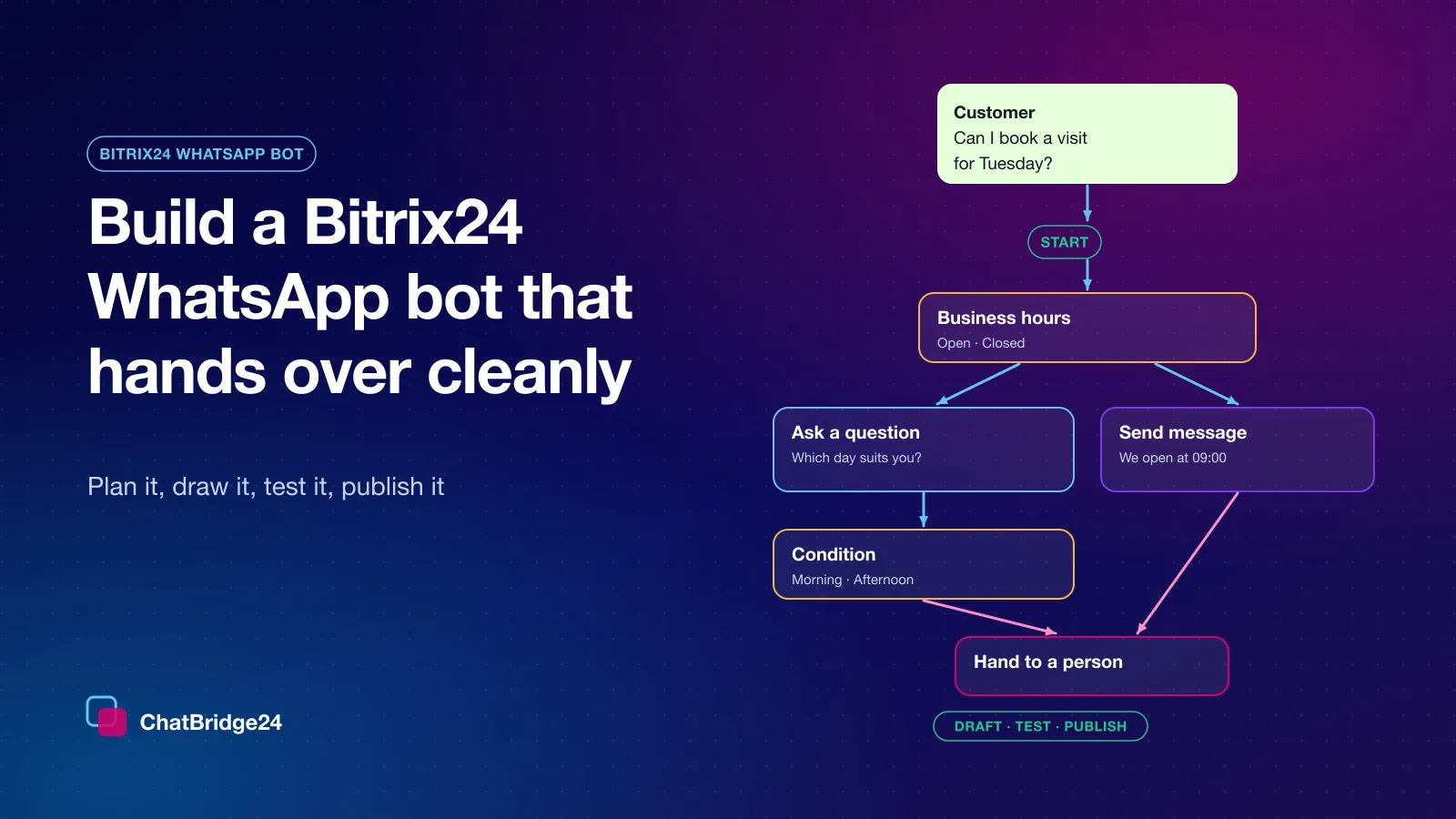
A good campaign creates replies, often more than your team can answer quickly, and often in the evening. A Bitrix24 WhatsApp bot can start on a tap of a button in your template — Book now, Tell me more — answer the common questions, ask for the details your sales team needs and hand the conversation over.
Your operators always come first: a scenario does not start on a conversation one of your team has answered in the last 24 hours. The full walkthrough is in our guide on building a Bitrix24 WhatsApp bot.
Track where every lead came from
Marketing that cannot be measured gets cut. The Bitrix24 WhatsApp integration writes the source of each new WhatsApp lead into places your Bitrix24 reports already use:
- Landing pages. A “Chat on WhatsApp” button opens WhatsApp with a pre-written message that usually names the offer or the project. That first message — and any form answers in it — is written into the new record’s Comment field.
- UTM values. When the first message carries utm values, they go into Bitrix24’s own UTM fields, so the leads group by campaign in the reports you already run. A landing page can add its utm values to the pre-written message text; then every lead from that page arrives tagged.
- Click-to-WhatsApp ads. The details Meta sends with an ad click can be mapped to the CRM fields you choose.
What it costs
There are two separate bills, and it helps to keep them apart:
- Meta charges per delivered template message, by category and by the recipient’s country. Marketing templates usually cost the most. Free-form replies inside the 24-hour window the customer opened are service messages, with their own free monthly allowance. The current rules are on WhatsApp Business API pricing.
- ChatBridge24 charges per connected number per month, with your whole team included. The automation step and the Bitrix24 app are in every plan, the bot is in Professional and Enterprise, and campaigns are in Enterprise — see ChatBridge24 pricing.
A campaign’s real cost is therefore roughly the number of people it reaches multiplied by Meta’s marketing price in their country. Sending to fewer, better-chosen people is cheaper as well as safer.
A first month, week by week
- Week 1 — connect and tidy. Install the app from the Bitrix24 Marketplace, connect your number, bind it to an Open Channel, and add a utm-tagged WhatsApp button to your main landing page.
- Week 2 — automate one stage. Pick the stage where deals most often go quiet and add an automation step with a utility template.
- Week 3 — answer replies at any hour. Draw a short bot for the most common question and the after-hours message.
- Week 4 — your first campaign. Build a small audience from a CRM segment of people who wrote to you recently, send one marketing template at a modest pace, and read the per-recipient outcomes before you plan the next one.
If you would rather run that first month with a partner, ChatBridge24 is built by Saabsoft, an official Bitrix24 Dubai partner specialising in CRM implementation, customisation and digital transformation. Saabsoft can configure the pipelines, the UTM fields and the automation rules your WhatsApp marketing depends on as one project — for Bitrix24 UAE customers across the Emirates as well as in Dubai.
For a deeper look at consent, pacing and measuring campaigns, read WhatsApp marketing campaigns that keep your number healthy, and if you are still comparing setups, start with the best WhatsApp for Bitrix24.
Common questions
Can I send WhatsApp campaigns to a Bitrix24 CRM segment?
Yes. In the ChatBridge24 app for Bitrix24, a campaign audience can be built from leads, contacts, companies, deals or Smart Process items, filtered by stage, source, pipeline, responsible person, dates and custom fields.
Can Bitrix24 automation rules send WhatsApp messages?
Yes. The app adds an automation step that sends an approved template from a WhatsApp Business API number on leads, deals, contacts, companies and Smart Processes, with values filled from the record.
How do I see which campaign a WhatsApp lead came from?
The first message is written into the new record's Comment field, and utm values in it go into Bitrix24's own UTM fields, so leads group by campaign in your reports.
What does WhatsApp marketing cost?
Meta charges per delivered template message by category and country. ChatBridge24 charges per connected number per month; campaigns are in the Enterprise plan.