Let AI answer your WhatsApp customers, and hand the chat to your team
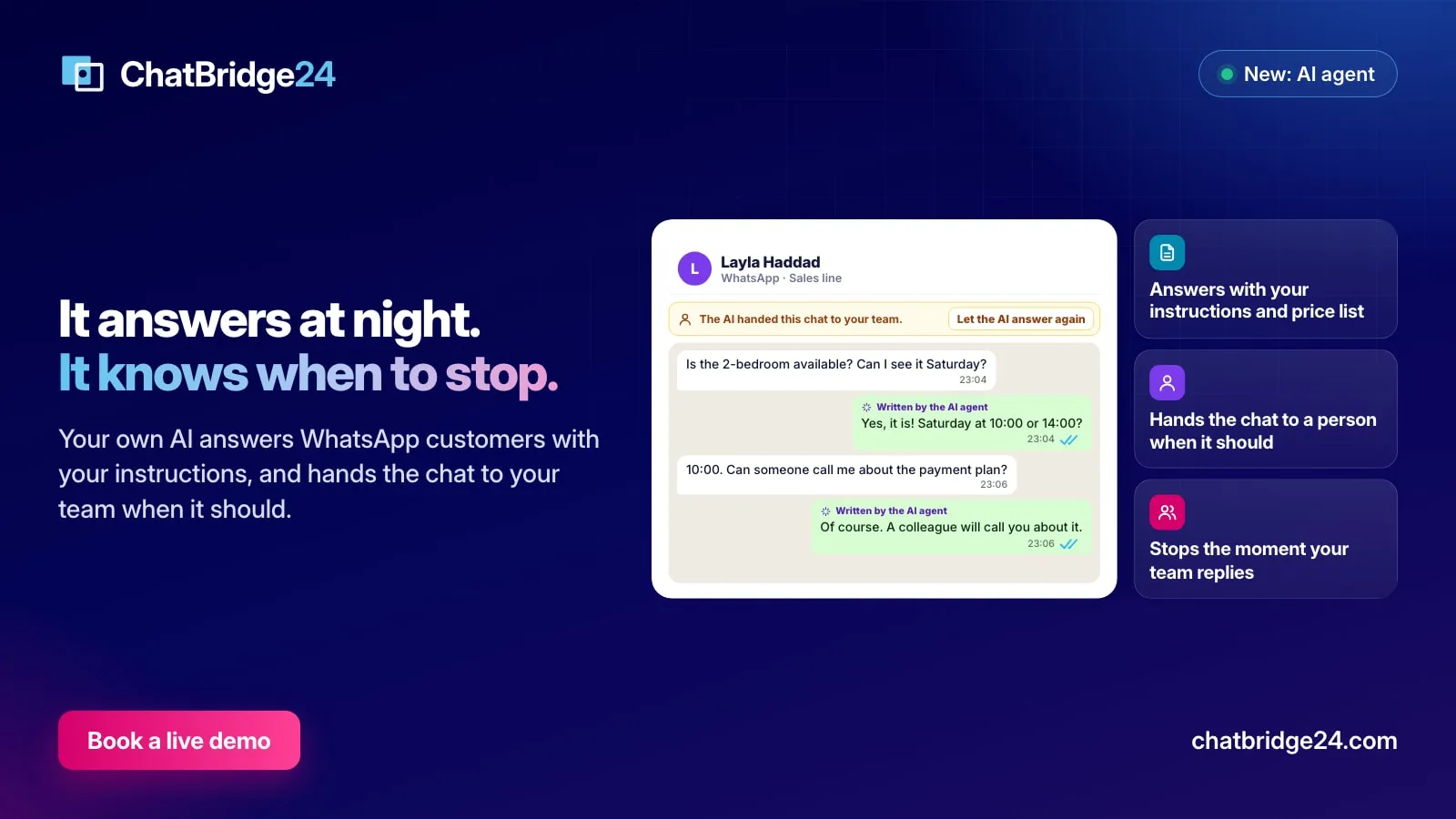
Your own AI can now answer WhatsApp customers with your instructions and price list, at night or when nobody replies in time, and hand the chat to a person the moment it should.
On this page
A customer writes at 11 at night: “How much is a two-bedroom, and can I see it on Saturday?” By the time your team reads it at nine, the customer has asked three other companies. Most lost WhatsApp leads are not lost to a better offer. They are lost to silence.
ChatBridge24’s AI agent can now answer for you. It uses your own AI account, it speaks with the instructions you give it, and it knows when to stop and hand the conversation to a person.
Tell it how to answer
Open Settings, AI agent, and switch on Answer customer messages. Two boxes decide how it sounds and what it knows.
How should it answer is where you describe the voice: “You are the sales assistant of a real estate company in Dubai. Be warm and short. Answer in the customer’s language. Always offer a viewing or a call.” What it may tell customers holds the facts: your address, your opening hours, the projects you sell, where prices come from.
You can also add up to five documents, such as a price list or an FAQ. A text file is read as it is; a PDF is read once by your AI and only its text is kept. The AI is told to answer from these and never to invent a price, a date or a promise that is not there.
Choose when it answers
Not every team wants an AI answering at three in the afternoon. Under When, you choose one of three:
- Always. The AI answers every new customer message on the numbers you picked.
- Outside working hours. It answers only when your team is closed, using the working hours you already set.
- When nobody answers in a few minutes. It waits, from one minute to two hours, and steps in only if nobody on your team has replied by then.
You also choose the numbers: answering works on your WhatsApp Business API numbers, and you can keep it off the ones a person always handles.
A burst of messages gets one answer, not five. The AI waits a few seconds for the customer to finish typing, then answers the whole thought.
It hands the chat to a person when it should
Under Hand the chat to a person when, three rules decide when the AI steps back:
- They ask for a person. “Can I talk to someone?” in any language is enough.
- It is not sure of the answer. The AI is told to hand over rather than guess.
- They mention a word you choose, such as complaint, refund or lawyer.
When one of these happens, the AI sends a short, polite reply, stops answering that chat, and tells your team. The notice lands in the notification bell of whoever the chat is assigned to, or of the number’s owner, or of your administrators. If you use the Bitrix24 WhatsApp integration, the same notice arrives in Bitrix24’s own notifications, so nobody has to keep the app open to catch it. In the standalone WhatsApp workspace, it appears in the notification bell.
It never talks over your team
This is the rule teams worry about most, so it is the strictest one. The moment a person on your team replies in a chat, the AI stops answering that chat. In the WhatsApp shared inbox, a bar above the conversation shows when the AI is answering and offers Take over; pressing it hands the chat to your team at once. When you are done, Let the AI answer again gives it back.
Every reply the AI wrote is marked Written by the AI agent in the conversation, so your team always knows which words were whose.
What it will not do
A few limits are built in, because they protect your number and your customers:
- It only replies inside WhatsApp’s 24-hour customer service window. It never starts a conversation and never sends a template on its own.
- It respects your do-not-contact list. A customer who replied STOP, or a number you blocked, is never answered.
- If one of your WhatsApp chatbot scenarios handles the message first, the AI stays quiet, so the bot and the AI never answer the same message twice.
Try it before your customers do
Next to the instructions, Try it in a test chat opens a chat where you write as a customer would. The AI answers with the instructions on the page, saved or not, and shows where it would hand the chat to your team. Nothing is sent to WhatsApp. It is the quickest way to tune the voice: change a sentence in the instructions, ask again, and compare.
A limit you control
Every answer is one AI action against the monthly limit you set, counted before the AI is called. When the month’s actions run out, the AI stops answering and the settings page says so, and your team simply answers as before. Everything it did, every answer and every hand-over, is listed under What the AI did. Your AI company is named among the services that receive data on our WhatsApp data protection page, with what it receives.
A good first week
Start with Outside working hours on one number. Read the conversations each morning, add the questions it handed over to What it may tell customers, and widen it when the answers read like your best salesperson. Most teams find that after a week, the night-time leads arrive in the morning already qualified, with a name, a budget and a preferred time to call.
ChatBridge24 is built by Saabsoft, an official Bitrix24 Dubai partner. Its Bitrix24 UAE team can help you write the instructions and the hand-over rules for your business, or you can book a live demo to see the AI answer on a real account.
Common questions
Will the AI talk over my team?
No. The moment a person on your team replies in a chat, the AI stops answering it. Anyone can take over a chat with one press, and give it back with Let the AI answer again.
How does it know our prices and opening hours?
From what you write under How should it answer and What it may tell customers, and from up to five documents you add, such as a price list or an FAQ. It is told never to invent what is not there.
What happens when a customer asks for a person?
The AI sends a short reply, stops answering that chat and tells your team in the notification bell, and in Bitrix24's own notifications when you use the Bitrix24 app.
Can it answer only at night?
Yes. Choose Always, Outside working hours, or When nobody answers in a few minutes, and pick the numbers it answers on.