Did everyone get your WhatsApp campaign? A result for every recipient
A campaign total tells you little. How ChatBridge24 records what happened to each person, groups the failures by reason, retries only what is safe, and turns the results into your next audience.
On this page
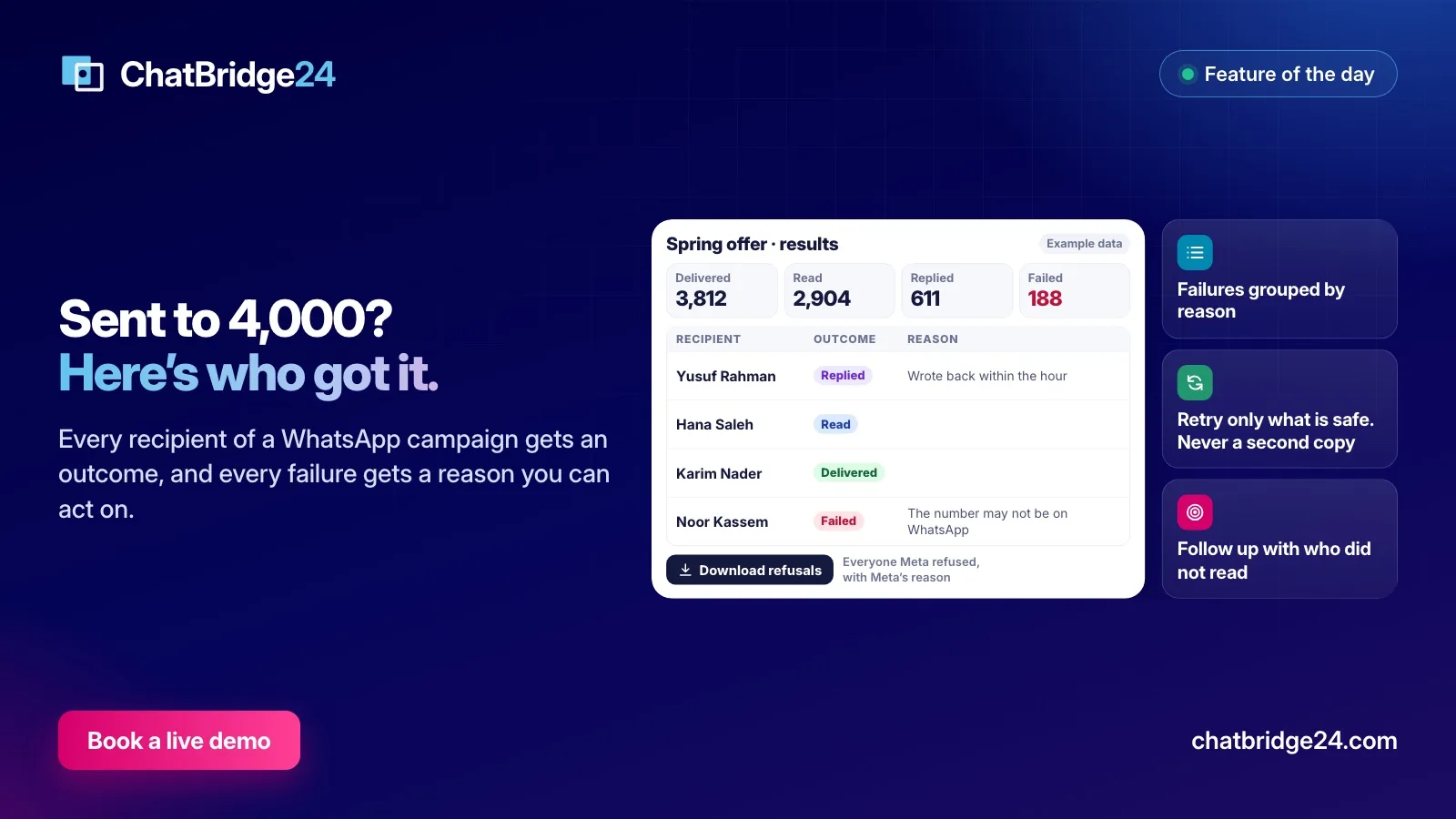
“Sent to 4,000.” It is the line most campaign reports lead with, and it answers almost nothing. Did the 4,000 receive it? Who read it? Who replied, and did anyone answer them? And the question your sales team will actually ask the day after: did this particular customer get it?
WhatsApp marketing campaigns in ChatBridge24 are built to answer that last question. Every recipient carries their own outcome and, when something went wrong, their own reason. This article walks through the report, what each outcome means, and how to turn it into a better next campaign.
The outcome of each recipient
A campaign moves each person through a few states, and the report shows where each one ended up:
- Waiting. Not sent yet: the campaign is still working through its list, or it is waiting for its sending hours.
- Sent. WhatsApp accepted the message.
- Delivered. The message reached the person’s phone.
- Read. WhatsApp reported that they opened it.
- Replied. They wrote back in the same conversation within 72 hours of the campaign message. A reaction on its own does not count as a reply.
- Failed. The message did not reach them. The report separates a failure before sending, when the message never left, from a failure after sending, when WhatsApp accepted it and then reported that it could not be delivered.
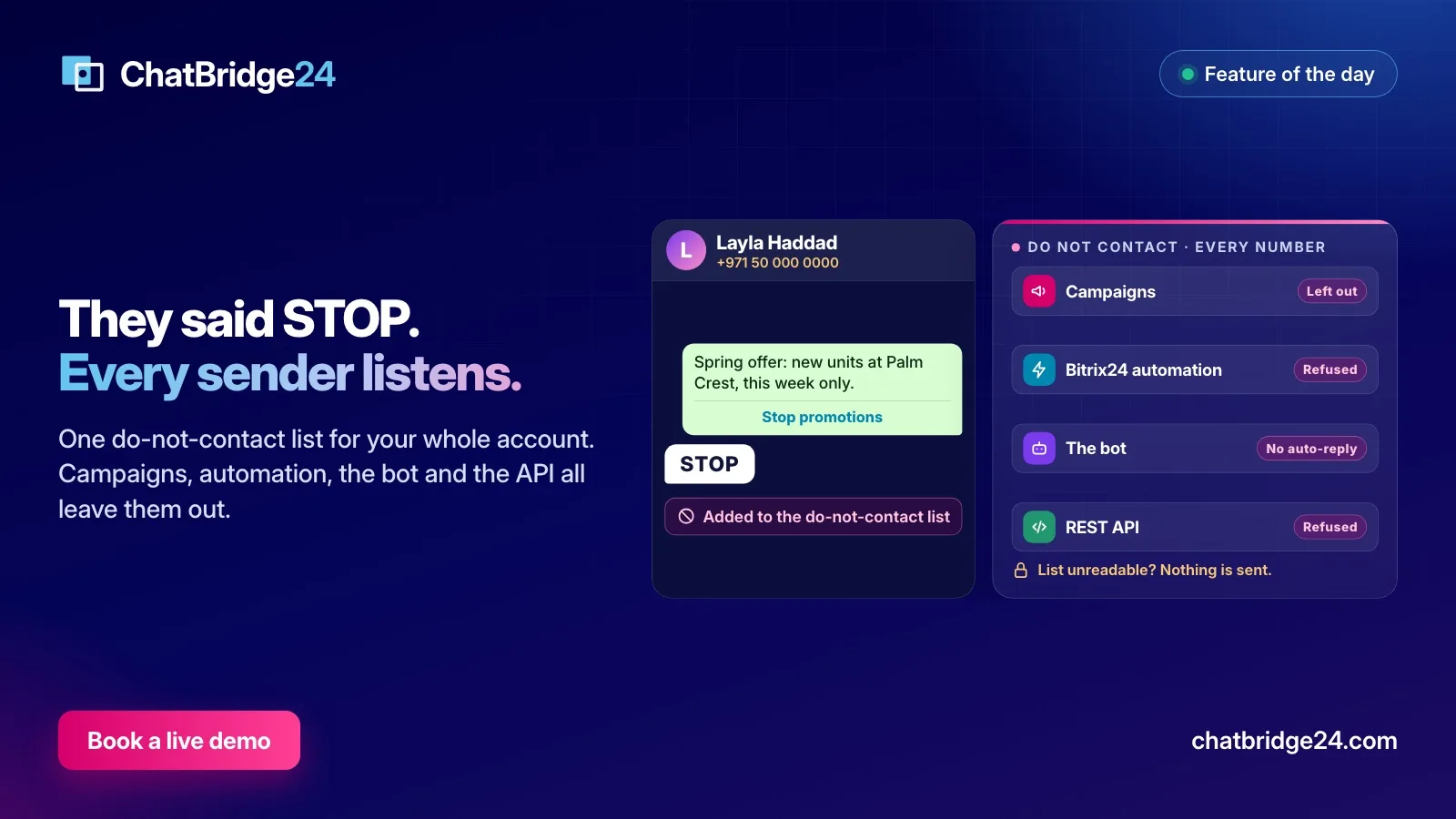
- Skipped. The person was deliberately left out, and the report says why: they asked not to be contacted, they had already received a campaign from that number within your frequency limit, or the campaign was cancelled before their turn.
Those outcomes are counted at the top of the report, and an activity chart shows how the sending and the responses unfolded over time, which tells you how quickly your audience reacts.
Finding one person
Below the totals is the list of recipients. You can search by name or number, filter by outcome or by the source a person came from, and open their chat in the shared inbox in one click.
That is what makes the report useful to people who never built the campaign. When a salesperson asks whether a client received the offer, the answer takes ten seconds: search the name, read the outcome, open the chat if they replied.
Failures, grouped by reason
Two hundred rows that each say “failed” are one problem, not two hundred. The report therefore groups the failures by reason and states each reason in plain words. The common ones:
- The number may not be on WhatsApp, or the person has not accepted WhatsApp’s latest terms. Nothing on your side will change this.
- Meta held back a marketing message to keep engagement healthy. Meta limits how many marketing messages one person receives from businesses, and sometimes a message is not delivered for that reason. It is not a fault on your side.
- The person has stopped marketing messages from your business in WhatsApp itself.
- A value filled into the template was refused, for example a blank where the template needs a value, or the wrong number of values.
- The template was paused by WhatsApp for low quality.
The grouping is also a diagnosis. A large “not on WhatsApp” group points at an old list. A cluster of refused values points at a field in your data. Repeated engagement limits suggest the same people are receiving too much marketing.
Download refusals
Sometimes the people Meta refused need to go elsewhere: to a colleague who will call them, or back to your CRM to be corrected. Download refusals gives you a CSV of everyone Meta refused to deliver to, with their name, their number and Meta’s reason. If Meta refused nobody, the report says so.
Retrying, without sending twice
A failed message is not always worth sending again, and a careless retry can deliver or charge the same message twice. The report therefore splits the failures before it offers anything:
- Can be retried. Messages WhatsApp refused before accepting them, for a reason that can pass: a sending-rate limit, a temporary error, or a payment problem on the WhatsApp Business Account that has since been fixed. Retry them with one press, up to three times per person.
- Refused for good. A number that is not on WhatsApp, a person who stopped marketing messages, a value the template will never accept. A retry would meet the same refusal, so these are not offered.
- Never sent again automatically. A message WhatsApp had already accepted, and a send that was interrupted at a moment when it may have gone out and been charged. These are marked for you to check, rather than risk a second copy on somebody’s phone.
People who have opted out since the campaign started are left out of a retry as well.
Following up with the right people
The most valuable part of a result is the next campaign it makes possible. From the report you can start a new campaign for people who did not read, who received it but did not read it, who did not reply, who replied, or whose message failed.
The same choice exists when you build an audience: “an earlier campaign” is one of the sources, filtered by any of these outcomes. Two follow-ups work well:
- A second message to people who did not read, a few days later, with a different first line. Keep it to one follow-up; a third message to people who ignored two is how numbers get reported.
- A personal answer to everyone who replied. Replies are your warmest leads. Make sure each one has an owner in the inbox before you send anything else.
Our page on audience segmentation explains how saved audiences and earlier-campaign sources behave.
How the list was built
At the bottom of the report, “How the contact list was built” shows each source the campaign drew on, a CRM segment, a spreadsheet, a pasted list or a saved audience, with how many rows it had, how many were added and how many were left out. When a campaign reached fewer people than you expected, this is where the missing ones went: duplicates, invalid numbers, people on the do-not-contact list.
A 15-minute review after every campaign
- Read the delivered, read and replied rates against your last campaign, not against an industry average.
- Look at the largest failure group and decide whether it is about the list, the data or the frequency.
- Retry what is offered, once the cause has passed.
- Check that every reply has an owner.
- Save the follow-up audience, and note what you will change in the message.
Every message a campaign sends is charged by Meta under its per-message pricing, so the review pays for itself: the next list is smaller, sharper and cheaper. Campaigns, with a result for every recipient, are part of the Enterprise plan; see ChatBridge24 pricing. If you would rather see a report on a live number first, book a live demo.
If your campaigns start from Bitrix24, the same reports work with audiences built from your CRM, and Saabsoft, the official Bitrix24 Dubai partner behind ChatBridge24, can help its Bitrix24 UAE customers set up the segments and fields that feed them.
Common questions
What counts as a reply in the campaign report?
A message from the recipient in the same conversation within 72 hours of the campaign message. A reaction on its own does not count.
Why is a failed recipient not offered for retry?
Some refusals would only be refused again, such as a number that is not on WhatsApp, and a message WhatsApp had already accepted may have been charged. Those are never sent again automatically. A refusal that can pass, such as a rate limit, can be retried up to three times.
Can I download the people Meta refused?
Yes. Download refusals gives you a CSV of everyone Meta refused to deliver to, with their name and Meta's reason.
Which plan includes campaigns and their results?
Campaigns, with a result for every recipient, are part of the Enterprise plan.